
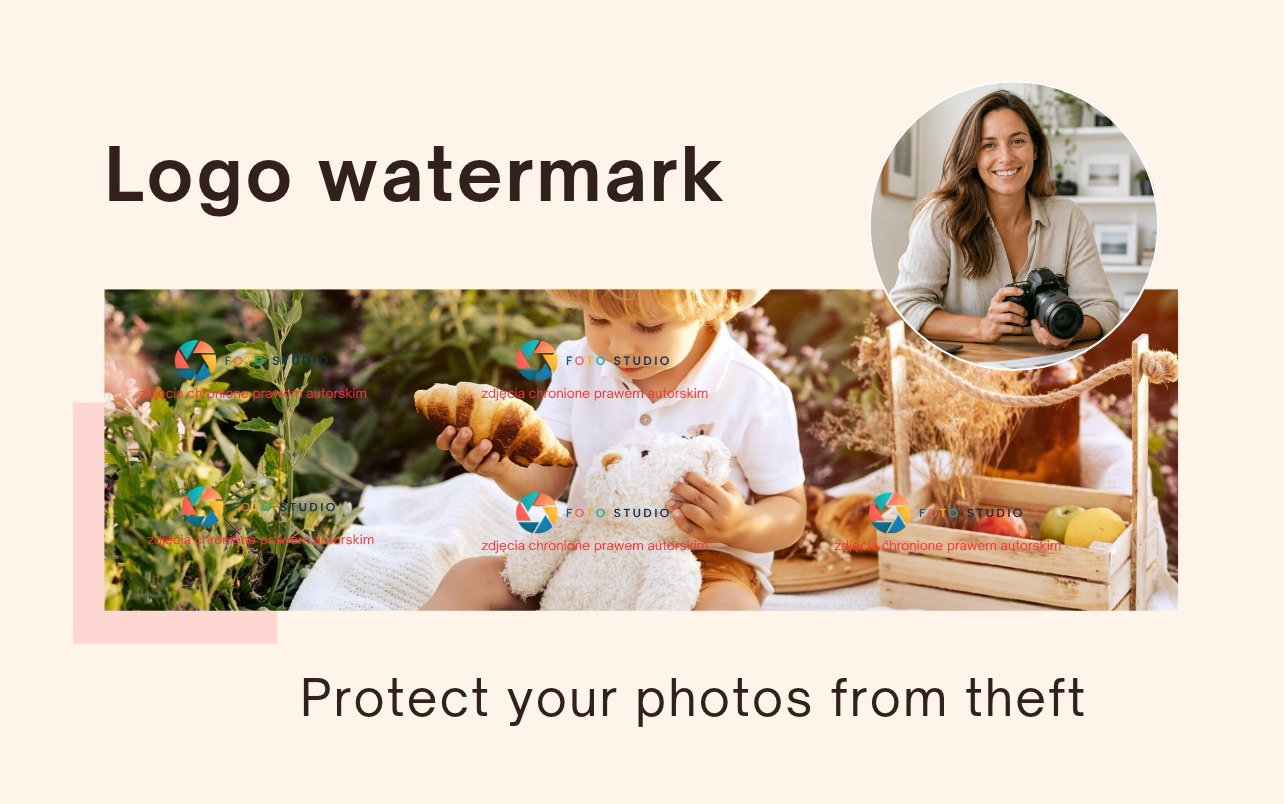
Protect your photos from theft with a logo watermark
"Hey, can someone help remove this watermark? The photographer wants too much for the photos 🙏"
If you belong to Facebook editing groups, you know these posts. A client gets a gallery to choose photos from, takes a screenshot (or a photo with their phone), and asks strangers to "clean" the photo. Usually, someone willing to help is quickly found.
Let's be honest: no watermark is 100% removal-proof. With today's tools, it is only a matter of time and patience.
Something else is interesting. Photographers we talk to noticed that in these same groups, there is a kind of neighborhood watch. When the photographer's name or studio logo is visible on the photo, someone from the group sooner or later writes to the author: "Listen, your photo is circulating in the group". An unsigned photo does not have this chance.
Why a signature works better than an anonymous watermark
A classic watermark has one job: to make using the photo harder. The text "FOR SELECTION" says that the photo is not paid for, but it does not say whose it is.
A watermark with your logo or name does three things at once:
- Makes theft harder. A signature repeated across the whole photo has to be removed in many places, not just in one corner.
- Identifies the author. Anyone who sees the photo in a group knows who to ask or who to notify.
- Discourages the client. It is harder to ask publicly to remove a signature when a comment might appear under the post: "But this is a photo by Anna Kowalska from Wroclaw".
This is not technology, but psychology. No one cares about an anonymous photo. A photo signed by a specific person from the industry makes other photographers and retouchers often take their side.
By the way: a signature also acts like a business card. When a photo from the gallery reaches the client's friends, your name goes there with it.
Your own watermark in Mafelo
You asked us about this feature in the chat and in the group, and every message sounded similar: "I want it to be clear that this is my photo". Now you can set it up.
In the watermark settings, there is a Custom file tab. You upload a PNG file with your logo, studio name, website address, or your first and last name, and Mafelo applies it to all new photos in your galleries.

What you should know:
- The signature repeats over the whole photo, like a wallpaper pattern. It is not enough to "paint over" one corner.
- You see the preview immediately on the thumbnail and on the large photo, so you know what the client will see.
- You can return to the ready-made Mafelo watermarks at any time. Your file is saved and you can turn it back on with one click.
One important thing: the new watermark is applied to photos uploaded after you turn it on. Photos that are already in the galleries keep their previous watermark. Because of this, nothing will change for the client in the middle of choosing photos.
How to prepare a good watermark
A good watermark has two goals that conflict a little. It must be clear so that no one has doubts about whose photo it is. At the same time, it cannot block what the client is choosing. These three rules will help you find balance.
1. Set a transparent background
Mafelo applies the file exactly as you save it, in full color. Therefore, you set the transparency in the file itself, in a graphic program. Avoid logos on a solid, colorful background. A rectangle repeated over the whole photo will turn the gallery into a chessboard, and the client will not see what they are buying.
2. You don't have a logo?
Many photographers do not have a graphic logo, and this is not a problem. On editing groups, something simple works fastest: your first and last name, or a studio name that is easy to type into a search engine.
You can prepare such a file in a few minutes, e.g. in Canva: type the name using a clear, readable font and download the file as a PNG with a transparent background.
3. Take care of the size and format
The file must meet three conditions:
- PNG format with a transparent background (JPG will not work),
- from 50 to 600 px on each side,
- up to 2 MB.
On large photos, Mafelo shrinks the signature so that it fits in a 300 × 300 px square. A file with dimensions like 600 × 200 px will therefore work better than a narrow strip of text of 600 px.
Tip: after uploading the file, always check the Large photo preview. A white logo is hard to see on a light chessboard in the file preview, but it can look great on a real photo. What matters is what the client sees.
How to turn on your own watermark
The whole setup takes five steps:
- Go to Settings → Watermark.
- Click Change watermark type.
- Open the Custom file tab.
- Click Upload PNG file and choose the file.
- Check the preview on a large photo.
Done. From now on, every new photo will get your signature.
In the knowledge base guide, you will also find how to change the file to another one, how to return to a ready-made watermark, and answers to the most common questions.
Summary
You cannot stop every attempt to remove a watermark. However, you can make sure that every photo of yours online says who took it. Then, people who see it can let you know before the photo circulates further.
- A classic watermark makes it harder to use a photo. A signature also shows the author.
- In editing groups, a signed photo finds its way back to the photographer faster.
- In Mafelo, you can upload your own PNG file with a logo or name, and the signature will appear across the whole photo.
What's next?
Already using Mafelo? Prepare a file with your logo or name and upload it in Settings → Watermark. You can find a step-by-step guide in the knowledge base.
Not using Mafelo yet? Do you want to send clients galleries for photo selection with a signature that protects your work? Create an account and check how Mafelo protects photos: a watermark, a screenshot block, and your own signature all in one place.

Co-founder of Mafelo. He listens closely to the challenges facing the photography industry and analyzes them in detail to get to the heart of the issues. This allows him to create solutions that make photographers' daily work easier—something that gives him the greatest satisfaction.
You might also like

How to collect photo publication consents in kindergartens and schools? New Mafelo features

A photographer's digital products. Why don't they sell themselves?


How to collect customer reviews? A guide for photographers