
Updates - September 2023
Additional questions in the bookings
Until now you could only ask one question and... I know that many of you tried to ask many things in this one question. Unfortunately, sometimes it was not easy for the customers who, when answering, more than once forgot to answer everything or, even worse, misunderstood such a complex question 😔.
Fortunately, you can already add many questions in the appointment booking form! 🎉
You can ask about, for example:
- names of the people who will be at the photo shoot - later when printing out the day's itinerary, you can easily check who you are actually photographing, especially if you have a lot of different people coming through in one day 😉
- ages of the children who will be at the session
- The inspirations or poses that the person likes
- Codes for special offers that you share with clients who are subscribed to your newsletter
Separate sorting of the list of sessions for the archive
We have added the ability to set separate sorting for the "Archive" tab and the other tabs. This works automatically, you just need to sort the "Archive" tab differently and this setting will be saved.
Setting a whole day off in reservations
We have added the option to set the whole day off with one click. Until now it required you to specify the hours, but now you just need to indicate that the day off is valid for the whole day 🙂
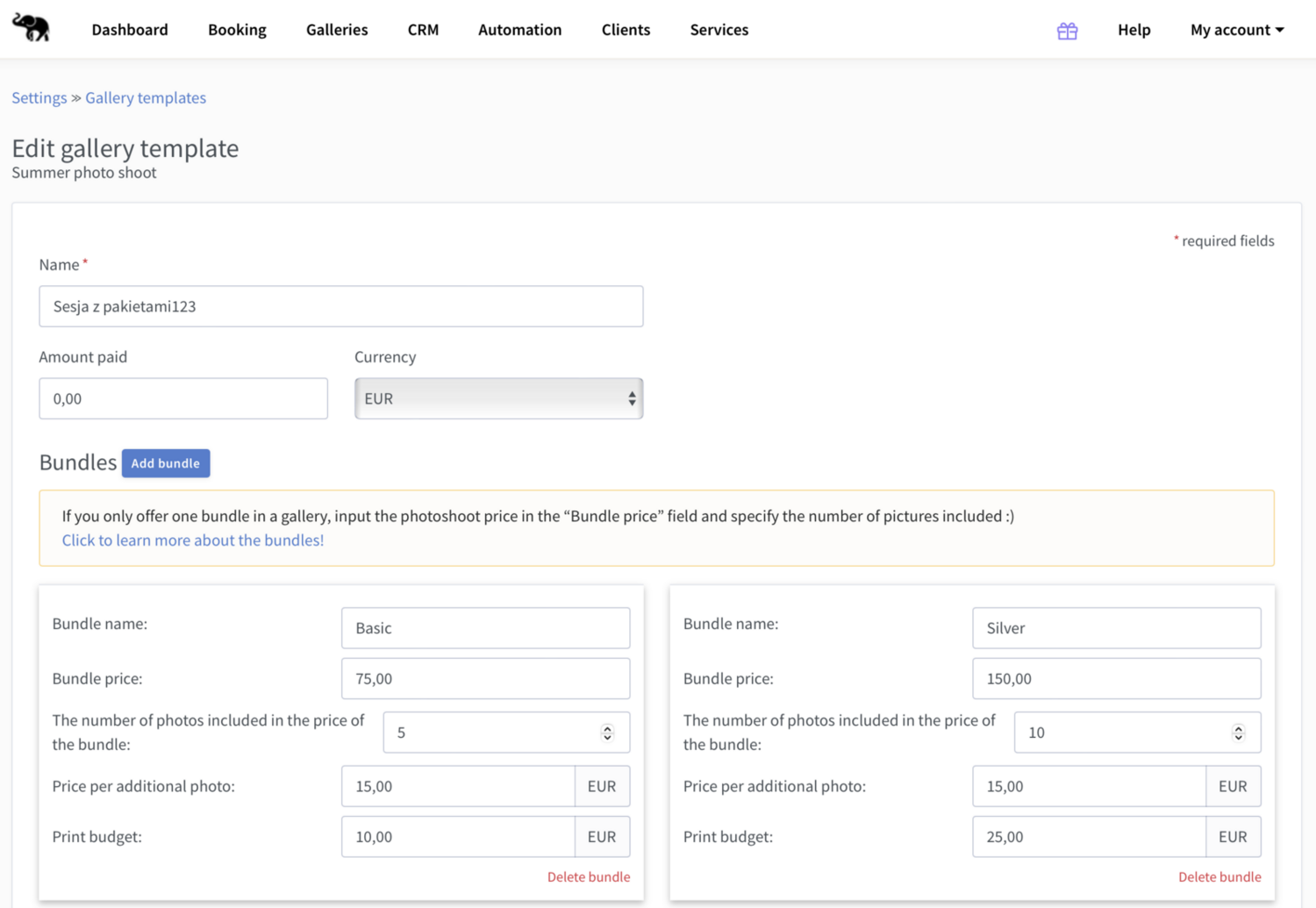
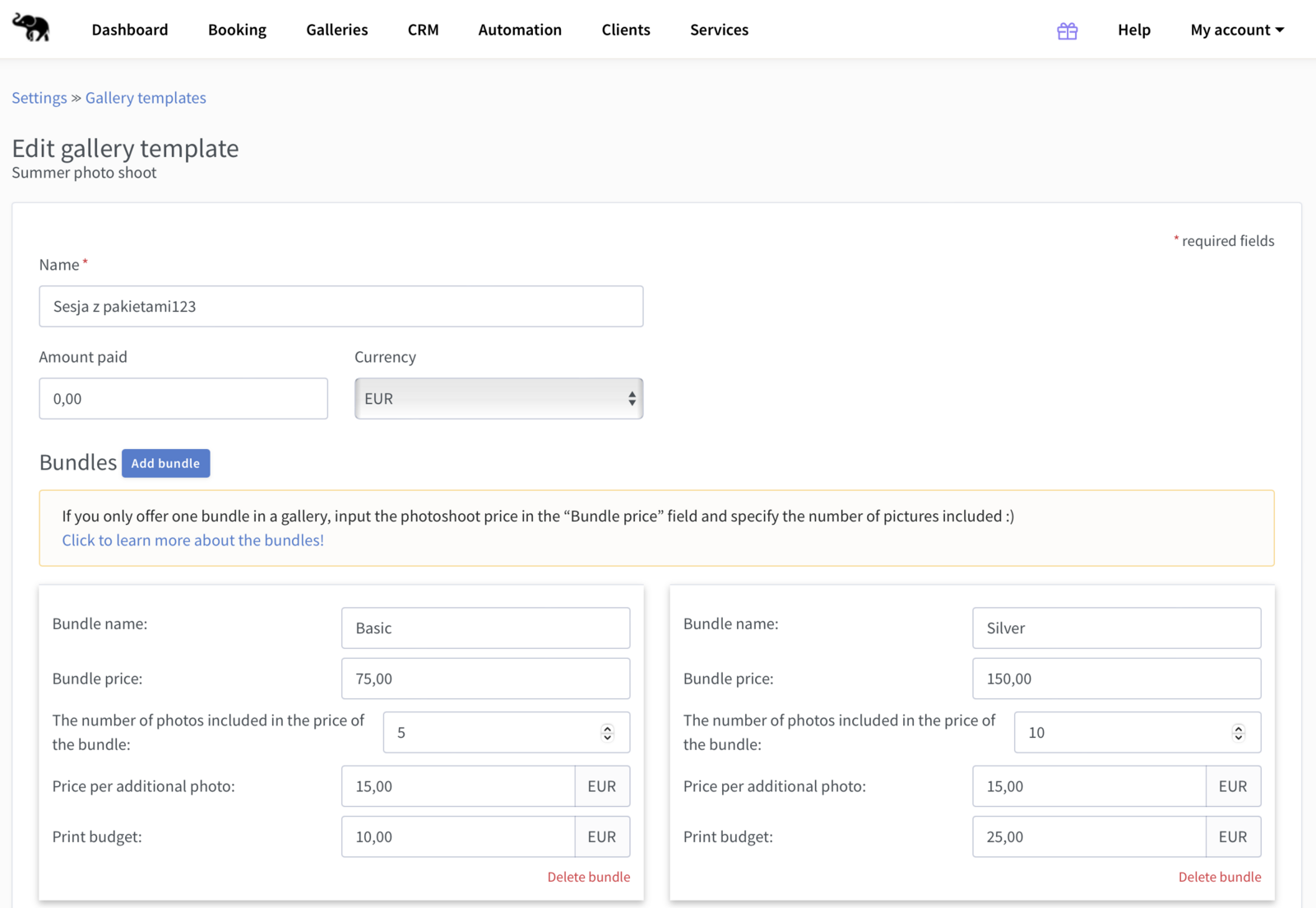
Editing gallery templates
We have added the ability to change gallery settings in a saved gallery template. Among other things, you can change the gallery name, bundles, print budget and the welcome message.
In the coming weeks, we will also add editing of other options, namely print formats, products and delivery methods.
How do I edit the template?
It is very simple:
- Log in to Mafelo and click on "My account".
- Click on "Settings" for a list of settings.
- Select "Gallery templates". You will find a list of available templates.
- Click on the "Edit" button, which you will find next to the selected template 🙂

Co-founder of Mafelo. He listens closely to the challenges facing the photography industry and analyzes them in detail to get to the heart of the issues. This allows him to create solutions that make photographers' daily work easier—something that gives him the greatest satisfaction.
You might also like
Your own photography style – do you really need it?

6 podcasts for photographers, or how to make photo editing more pleasant